On Linux systems, when installing an RTL8125 series Ethernet adapter, the network interface may not be detected, or the network icon may disappear. How can this issue be resolved
Q: On Linux systems, when installing an RTL8125 series Ethernet adapter, the network interface may not be detected, or the network icon may disappear. How can this issue be resolved?
A: This issue is typically caused by a conflict between the Linux kernel's default driver and the security mechanisms implemented on modern Intel/AMD-based motherboards.
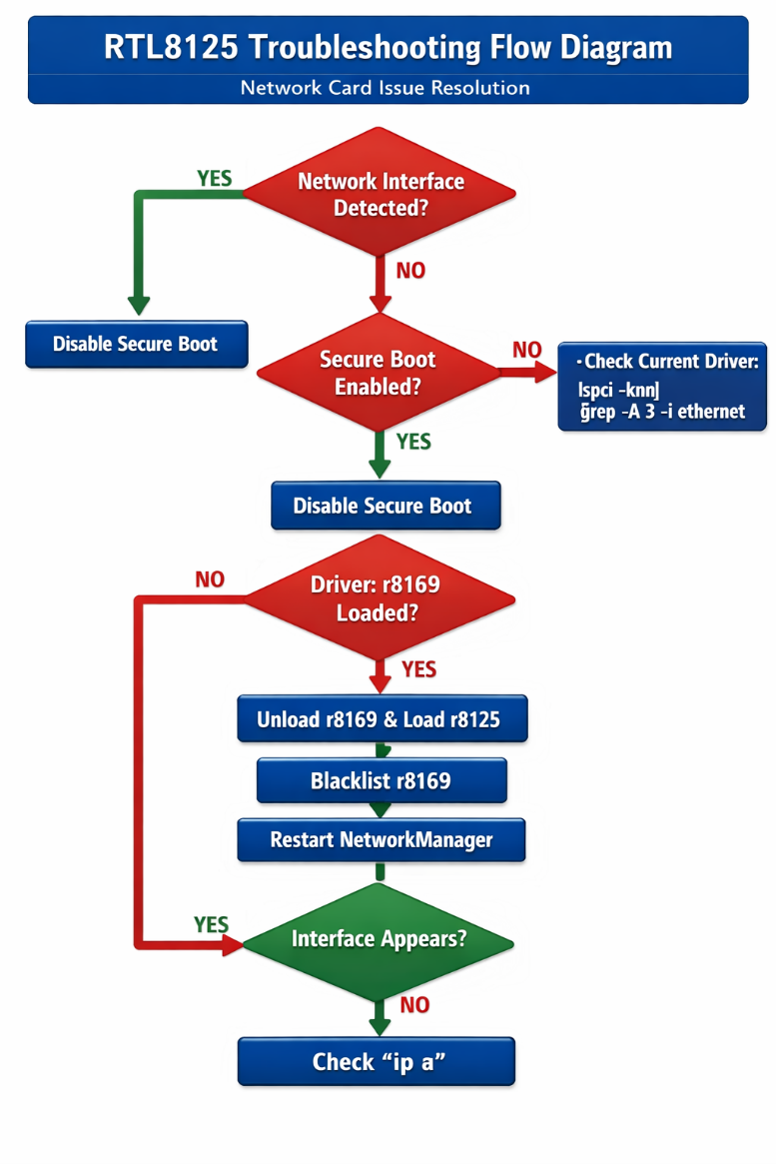
Follow the troubleshooting steps below:
Step 1: Disable Secure Boot
- Restart your computer.
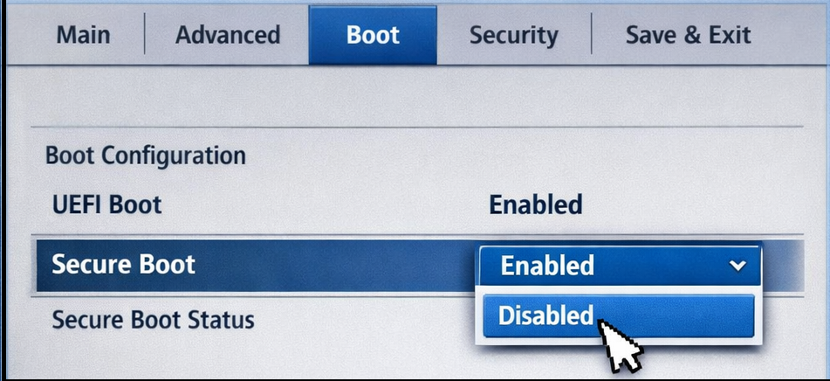
- During startup, repeatedly press Del or F2 to enter the BIOS/UEFI setup.
- Navigate to the Security or Boot menu.
- Locate Secure Boot and change its setting from Enabled to Disabled.
- Press F10 to save the changes and restart the system.
Step 2: Verify the Loaded Driver
After disabling Secure Boot and booting into Ubuntu, open a Terminal (Ctrl + Alt + T) and run the following command to check which driver is currently in use:
lspci -knn | grep -A 3 -i ethernet
Interpret the results as follows:
- Kernel driver in use: r8125
- The correct driver has been loaded successfully. Your network interface should now be available.
- Kernel driver in use: r8169
- The system has detected the Ethernet controller but is using the default r8169 driver instead of the recommended r8125 driver.
- No "Kernel driver in use" entry
- The driver failed to load properly.
Step 3: Load the Correct Driver
If the system is using the wrong driver or the driver failed to load, execute the following commands in sequence:
# 1. Unload the default driver
sudo modprobe -r r8169
# 2. Load the recommended driver
sudo modprobe r8125
# 3. Prevent the default driver from loading automatically after reboot
echo "blacklist r8169" | sudo tee -a /etc/modprobe.d/blacklist.conf
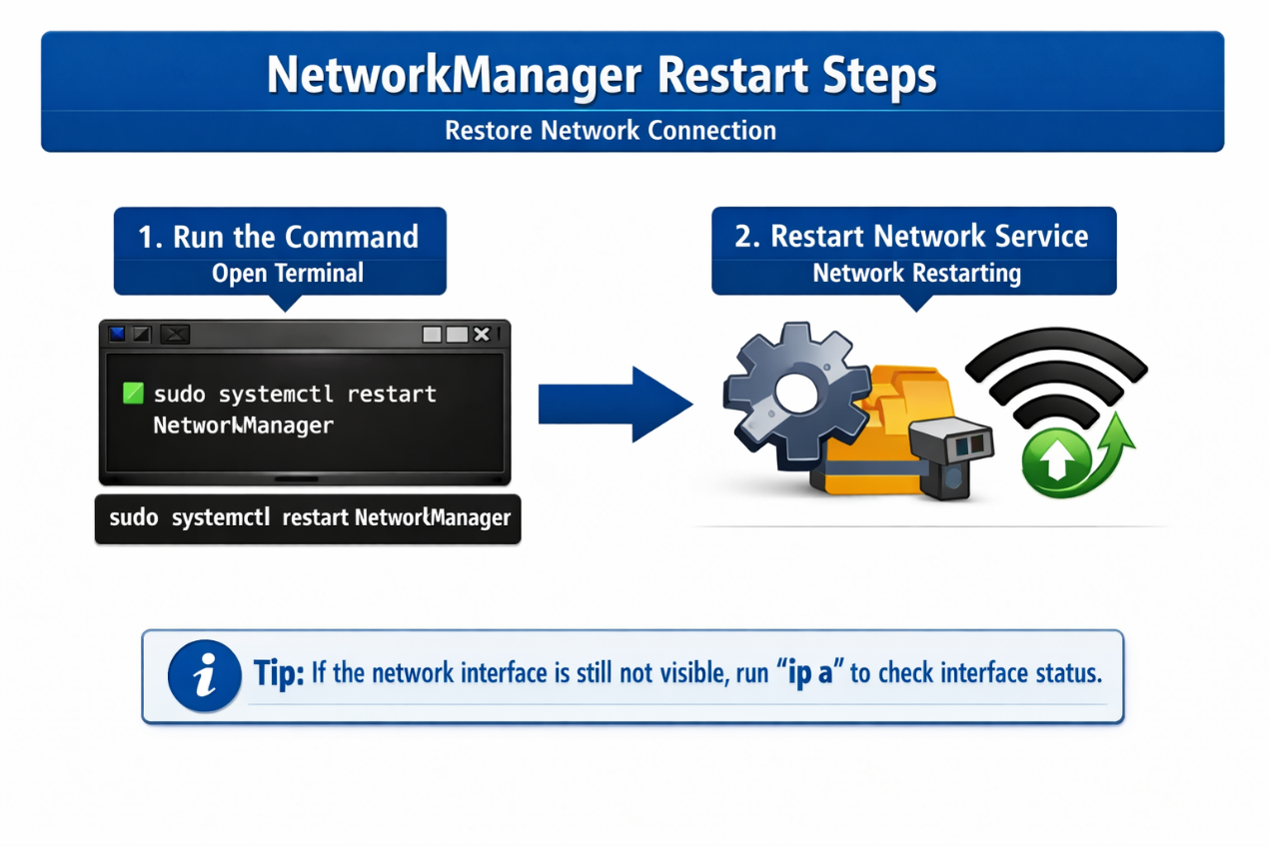
# 4. Restart the NetworkManager service
sudo systemctl restart NetworkMana
Step 4: Verify the Network Interface
Run the following command:
ip a
If the configuration is successful, the Ethernet interface (for example, enp3s0) should now be listed.
