Configure N-1170 / N-1200 (BCM957508) from 2 × 100G to 1 × 200G
Q: Configure N-1170 / N-1200 (BCM957508) from 2 × 100G to 1 × 200G
Applies to: N-1170 / N-1200 (Broadcom BCM957508 2 × 100G Ethernet Adapter)
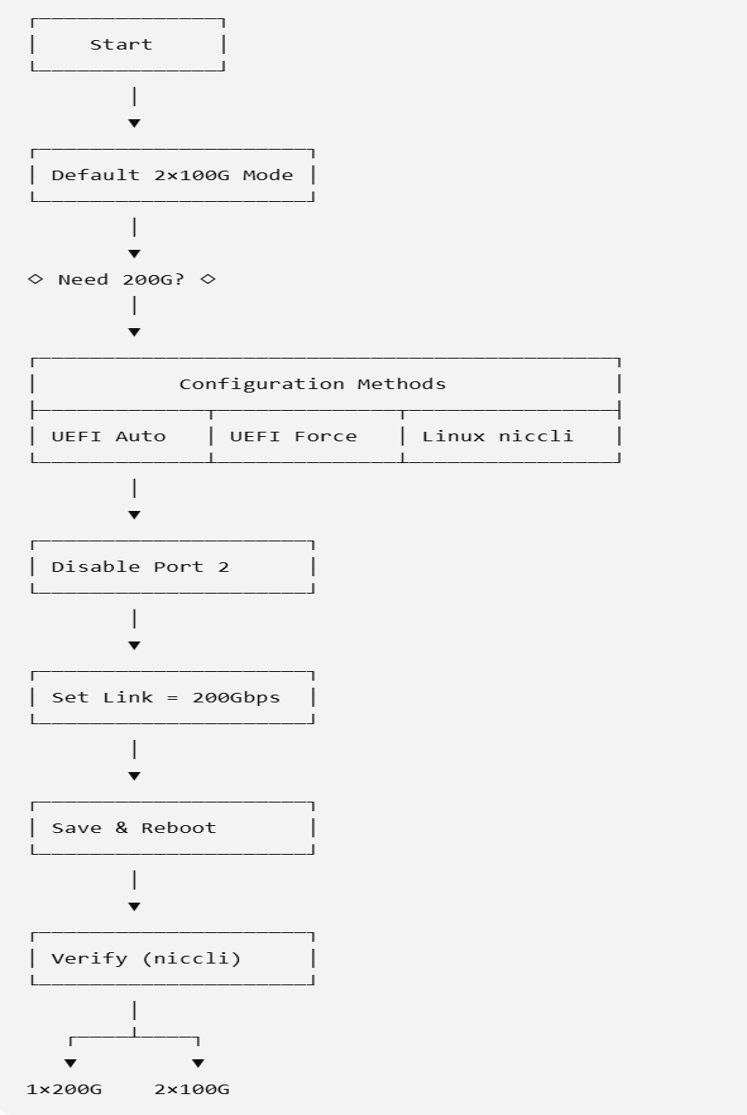
A: UEFI Settings :
N-1170 or N-1200 refers to a BCM957508 network interface card configured as a 2-port device, where each port supports up to 100G.
To use 200G link speed, you must reconfigure the device as a 1-port device and enable the 200G link speed.
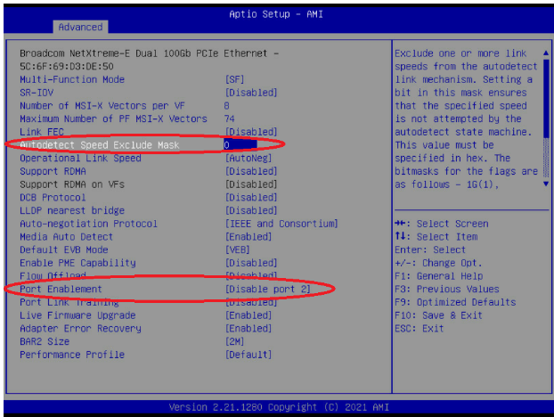
Method 1: UEFI Configuration (Auto-Negotiation)
- Enter the UEFI HII Menu.
- Set the Autodetect Speed Exclude Mask to 0.
- Navigate to the Port Enablement menu and Disable port 2.
- Save and reboot.
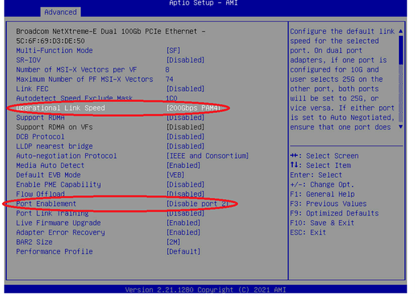
Method 2 : UEFI Configuration (Forced 200G)
- Enter the UEFI HII Menu for the adapter.
- Navigate to the Link Configuration menu.
- Set the Port Speed to 200Gbps PAM-4.
- Navigate to the Port Enablement menu.
- Set the configuration to Disable port 2.
- Save changes and reboot the server.
Linux Settings :
On Linux, you can use the niccli tool to set the link speed to 200G, and hide the second network port using the following commands.
Method 1: Linux Configuration (niccli)
You can use the niccli utility to configure the link speed and hide the second port.
- Open the terminal and use the niccli tool.
- Execute the commands to set the default link speed to 200G for both the driver and firmware (PXE).
- Execute the command to hide the 2nd network port.
- Reboot the system for the changes to take effect.
Examples:
1. Configure link speed: 2 × 100G to 1 × 200G
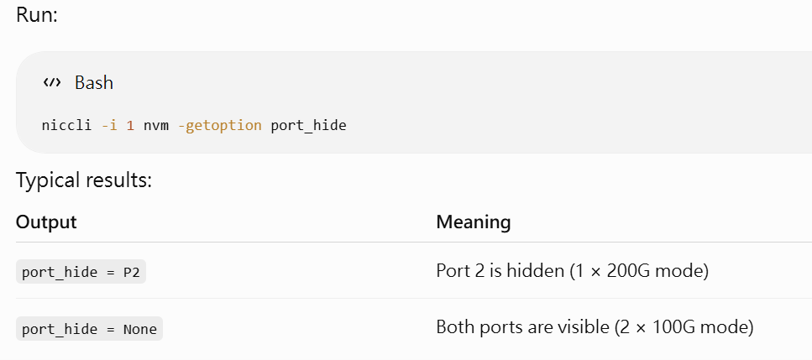
1.1 Check link/port status
Bash:
root@stlab-X570-AORUS-ELITE:/home/stlab# niccli -i 1 nvm -getoption port_hide
-------------------------------------------------------------------------------
NIC CLI v233.0.150.0 - Broadcom Inc. (c) 2025 (Bld-106.52.39.138.16.0)
-------------------------------------------------------------------------------
port_hide = P2 - Valid for 2 port adapter
1.2 Set link
Bash:
root@stlab-X570-AORUS-ELITE:/home/stlab# niccli -i 1 nvm -setoption port_hide -value 0x00
-------------------------------------------------------------------------------
NIC CLI v233.0.150.0 - Broadcom Inc. (c) 2025 (Bld-106.52.39.138.16.0)
-------------------------------------------------------------------------------
port_hide is set successfully
Please reboot the system to apply the configuration
reboot.
2. Configure link speed: 1 × 200G to 2 × 100G
2.1 Check link/port status
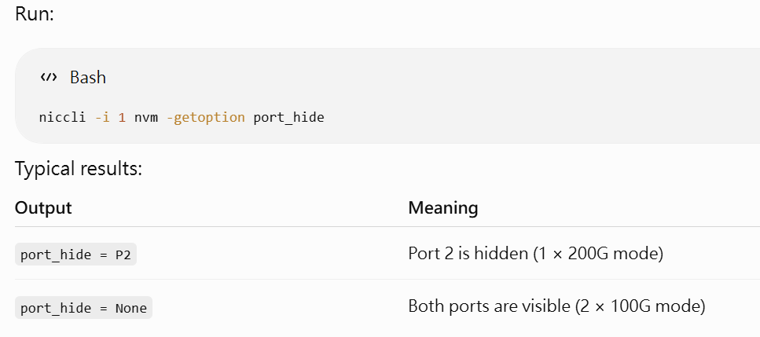
Bash:
root@stlab-X570-AORUS-ELITE:/home/stlab# niccli -i 1 nvm -getoption port_hide
-------------------------------------------------------------------------------
NIC CLI v233.0.150.0 - Broadcom Inc. (c) 2025 (Bld-106.52.39.138.16.0)
-------------------------------------------------------------------------------
port_hide = None
2.2 Set link
Bash:
root@stlab-X570-AORUS-ELITE:/home/stlab# niccli -i 1 nvm -setoption port_hide -value 0x01
-------------------------------------------------------------------------------
NIC CLI v233.0.150.0 - Broadcom Inc. (c) 2025 (Bld-106.52.39.138.16.0)
-------------------------------------------------------------------------------
port_hide is set successfully
Please reboot the system to apply the configuration
reboot.
P.s
Niccli Utility Download:
The Niccli utility can be downloaded from the Broadcom website under “N2100G - 2 x 100GbE OCP 3.0 Adapter” -> “Broadcom NetXtreme-E Niccli Utility - Linux Interface.”
Link: https://www.broadcom.cn/products/ethernet-connectivity/network-adapters/n2100g